
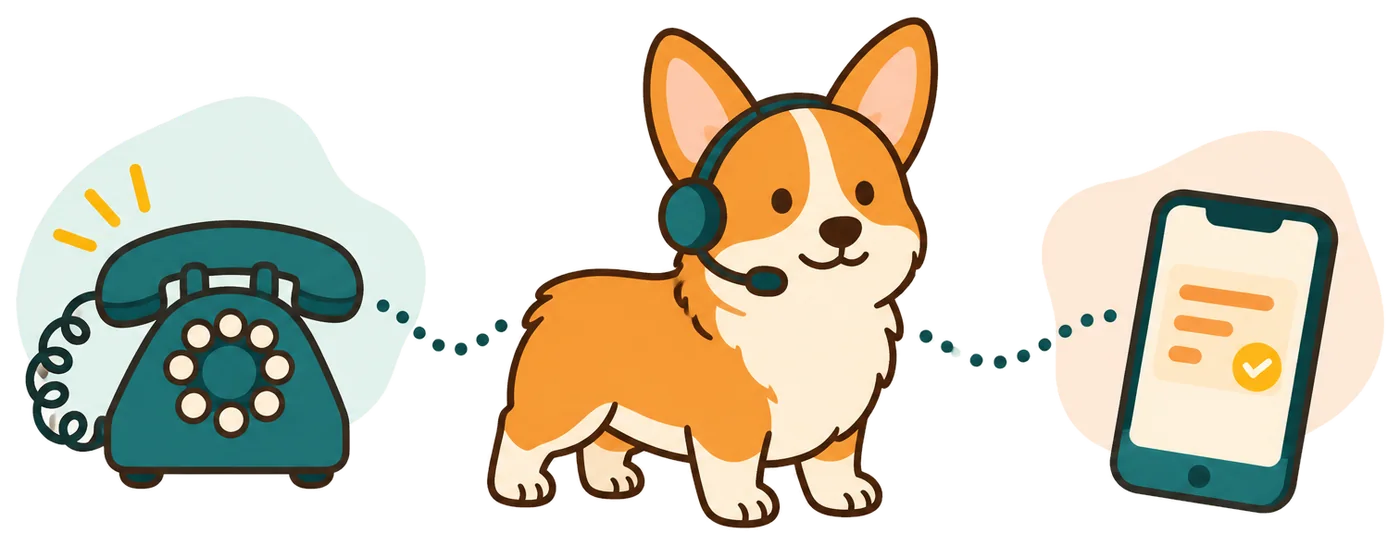
Cover guest calls when the front desk needs support
Your receptionist gives hotel callers approved information and records requests for the desk. Use it during busy check-ins, overnight coverage gaps or times when staff are helping guests.
- Arrival detailsExplain your published check-in hours and the arrival instructions you provide.
- Guest messagesCapture a guest's name, callback number and reason for contacting the desk.
- Overnight coverageForward calls after hours and route urgent matters to your designated contact.
Learn more
Our AI receptionist for hotel teams helps with phone inquiries while desk staff handle arrivals or attend to a guest. It can explain your breakfast hours, parking instructions or pet policy from the information you supply. A guest calling about a late arrival can leave details for the desk.
Your receptionist answers as your hotel after introducing itself as a virtual assistant and announcing recording. Choose whether it covers unanswered calls, busy periods or all forwarded calls. You receive the conversation record so staff can check exactly what the caller asked before responding.
Collect a late arrival message and route urgent requests
Your receptionist asks why the guest is calling, gathers the details your desk needs and follows your urgency rules. A late arrival message can reach staff with clear context.
- Guest contextAsk for a name, callback number and the reason for the call.
- Arrival messageRecord an expected arrival time for your front desk to review.
- Urgency routingTry the duty contact in your chosen order when your rules apply.
Learn more
A guest might call to say their flight is delayed and they expect to arrive late. Your receptionist takes their name, return number and expected arrival time, then sends the message to your team. It can share the arrival instructions you have approved.
If the guest raises a matter you class as urgent, the receptionist follows your contact sequence. A warm transfer gives the duty person a short spoken summary before they press 1 to accept. Staff can also open the transcript and recording from the call notification to review the guest's wording.
Set hotel policies, desk coverage and duty contacts
You control the hotel information callers hear and which requests need staff attention. Add your hours, amenities, arrival policy and duty contact order during onboarding.
- 1Property informationProvide approved answers about parking, breakfast, pets and other hotel amenities.
- 2Desk coverageChoose when your business number forwards calls to the AI receptionist.
- 3Duty sequenceSpecify which staff member receives urgent transfers or pages and who follows.
Learn more
Start with the information guests ask for most often. During onboarding, we learn from your website and your answers about the property. Tell your receptionist what it may say about check-in, parking, breakfast and requests that require desk approval.
Set the duty contacts and identify what counts as urgent for your hotel. When those instructions change, tell the AI in plain words through your settings. The setup and forwarding guide explains the process. Before live coverage, test a late arrival inquiry and check that the right person receives the message.
Keep room availability and guest decisions with the desk
Your receptionist supplies approved information and passes requests to staff. Room inventory, reservation changes and decisions about individual guest arrangements remain with your hotel's desk team.
- Room inventoryAsk staff to confirm availability and current rates through your hotel's process.
- Booking changesTake requests for desk review without promising a changed or canceled reservation.
- Emergency boundaryIn danger: hang up and call 911 right now; then the receptionist alerts you.
Learn more
A caller asking whether a room is available needs an answer from your hotel's booking process. RingCorgi does not read your property management system or change reservations. Your receptionist can collect the inquiry for a callback, including questions about rates or a different arrival date.
For gas smells, CO alarms, sparks or burning smells, or flooding near electricity, scripts tell callers to get everyone out and call 911 or the utility from outside. For a fire: "Get everyone out first, then call 911 from outside." For a medical emergency or anyone in danger: hang up and call 911 right now. RingCorgi then alerts you. It is not an emergency service. Use a test call to review ordinary guest requests, and keep staff responsible for decisions that depend on booking records.
Hear the message demo and join hotel early access
Start with the fictional after-hours message scenario in the browser demo. When trials open, configure yours for your hotel and test the details your front desk needs.
- Browser conversationTry the fictional after-hours message scenario with no signup required.
- Hotel instructionsAdd property information and the questions your staff needs answered.
- Desk reviewAfter trials open, inspect your transcript and summary before forwarding live guest calls.
Learn more
Use the after-hours message demo to hear how a fictional business takes a message. It demonstrates the conversation format; it is not a live hotel desk or a room booking tool.
Join hotel early access; when trials open, use your email sign-in link and the onboarding chat to add your own property details. The free trial will include 100 minutes over 14 days. You need a card before live call forwarding starts. Test parking questions and a late arrival message, then review what your duty staff receives.
Questions
Does it replace our hotel's reservation system?
No. Your receptionist answers from the property information you provide and takes booking inquiries for staff review. It does not read live room inventory or change reservations in your property management system. Your desk keeps control of room availability, rates and reservation decisions.
Can it handle calls overnight?
Yes. Once your hotel's calls forward to it, your receptionist can answer day and night. Set after-hours forwarding if you want overnight coverage, then define which guest requests need the duty contact. Test that contact sequence before relying on it for live calls.
What does the duty person hear during a transfer?
With a warm transfer, your duty person hears a short summary before choosing to accept the call by pressing 1. You set the contact order and can choose a page instead. Call summaries, transcripts and recordings are also available for staff review.
How will our front desk receive guest messages?
Each call sends an email and app push notification with a summary, urgency tag, transcript and recording. The dashboard keeps those call records available to review, and a daily digest arrives by email. Your desk can use the details when returning a guest's call.
How long does hotel setup take?
Setup uses a 10-15 question chat and your website to teach the receptionist about your property. The time depends on having your hotel policies and duty contacts ready. Follow the forwarding guide and place a test call before sending live guest calls to it.
Try an after-hours message and join hotel early access
Hear the fictional after-hours demo, then join early access; when trials open, add your hotel details. Test the messages your desk team needs to receive.